IC
IC stands for Invisible Cities. and can be found on Github as next-exp/IC. Blame for the name to J.J. Gómez-Cadenas, who proposed and started the project. The original developers of IC were J.J. Gómez-Cadenas, J. Generowicz, J.M. Benlloch, G. Martinez-Lema and M. Kekic. The main architect of the code was J. Generowicz.
Language: Python; Based: Numpy, Pandas
This section is focused on reviewing how the code is structured and where the installation guides can be found.
Code
IC is a reconstruction software structured in algorithms/programs named cities. The code is written in Python, but it uses Numpy and Pandas for data analysis and as a manipulation tool. Each of the cities is focused on a specific reconstruction stage (e.g. raw waveforms integration, energy correction, deconvolution, etc…), and follow dataflow data processing: they resemble a pipeline of data transformations. More details about the dataformat can be found in a previous IC-crash-course in Dataflow section. A complete review about the IC repository can be found on a previous IC-crash-course under IC-structure.
Installation
There is a Quickstart guide at the next-exp/IC repository with anything related to its installation. The simplest way of installing the software is to download the repository with
git clone git@github.com:next-exp/IC.git
Note that the cloning process would be different for users and developers. If someone only wants to use the software they can download from next-exp, but it is recommended for both users and potential developers to fork the repository, and then clone their fork. Check additional details about it in Workflow section. Once the repository is downloaded, run
source manage.sh install_and_check 3.8
from the top level of the IC folder. This will download and install miniconda if necessary prior to installing IC and
its dependencies. Miniconda would be installed in a default location ($HOME/miniconda). If you already have an anaconda installation, the first step will be skipped.
Usage
After running the installation commands, your shell will be configured to use IC. To set up IC in a new shell run
source manage.sh work_in_python_version_no_tests 3.8
City Structure
IC cities follow dataflow data processing: they are designed to resemble a pipeline. By reading this pipeline one should be able to understand what operations are made and in which order.
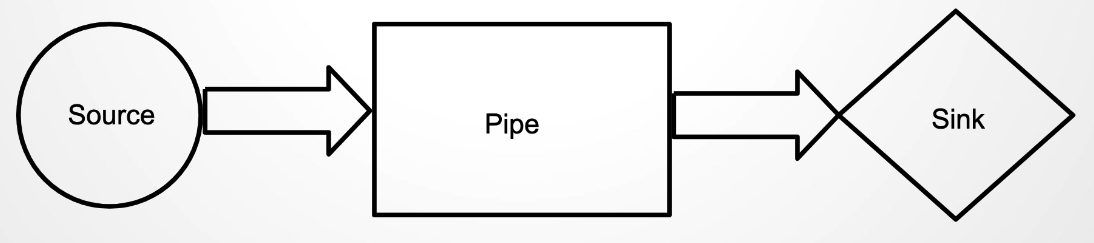
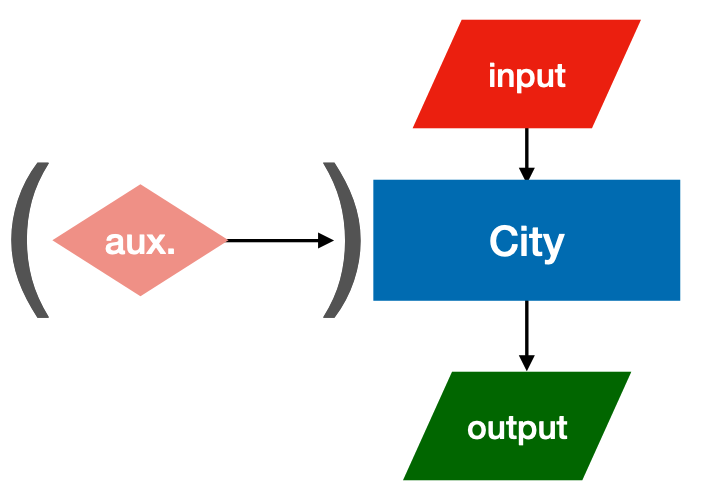
More details about how this data format works can be found in a previous IC-crash-course. Resembling this pipeline structure, each city needs a specific type of input data format, and creates a specific output to follow the rest of the production flow:
Configuration files
Cities may require some parametrisation and, as it is represented on the previous figure, some of them require additional auxiliar (aux) data (like maps, PSFs, etc).
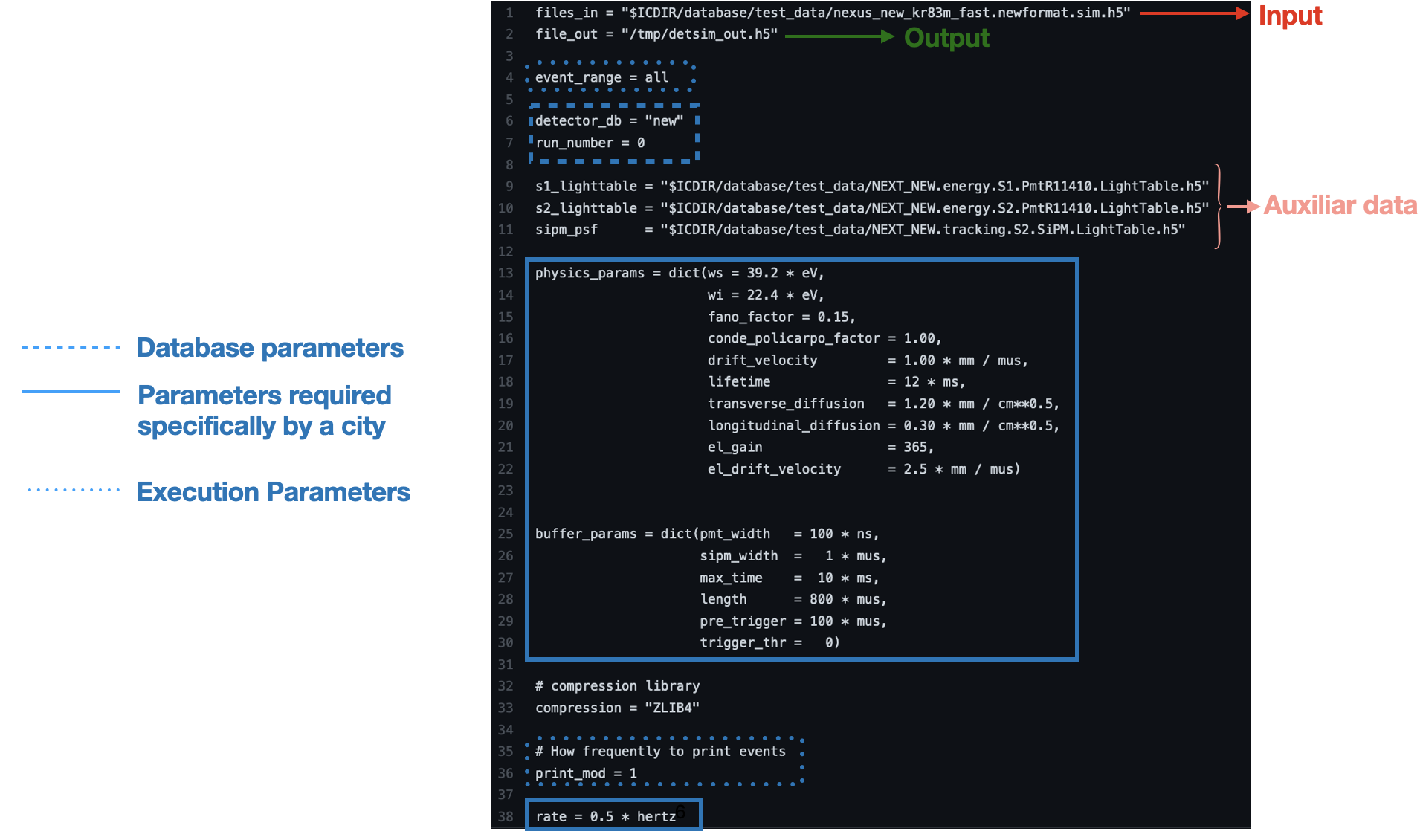
Configuration files (config, config_file_city.conf) provide to the city this specific information they require to run. Examples for each city are located in IC/invisible_cities/config. Official production config files (and production
scripts) are located in next-exp/CERES repository.
Note
Config files located in IC/invisible_cities/config are only for testing purposes and not realistic.
Common arguments to every city
All cities in IC require at least the following arguments
Parameter |
Type(s) |
Description |
|---|---|---|
|
|
Input file name(s). |
|
|
Output file name. |
|
|
Compression option. Always |
|
|
Range of events to process. If an integer N is provided, the first N events are taken. Two integers (N, M) will run from event N to event M. If (N, |
|
|
How frequently to print progress to the std output. |
|
|
Name of the detector for database access. |
|
|
Run number corresponding to the data. Needed to load the appropriate sensor parameters. If negative, the processing is assumed to be a MC run with the corresponding to the detector conditions of run |
How to run a city
Once it is clear the parametrisation needed to run a city (once IC environment is set), you just need to type:
city city_name config_file_city.conf
where config_file_city.conf corresponds to the specific configuration file for that city.
List of Cities
IC cities can be categorised depending on their purpose on the following list:
- MAIN PRODUCTION:
- CALIBRATION:
- ONLY FOR MC:
- DEBUGGING/CONTROL:
Each of this cities include a small description in the IC repository (IC/invisible_cities/cities),
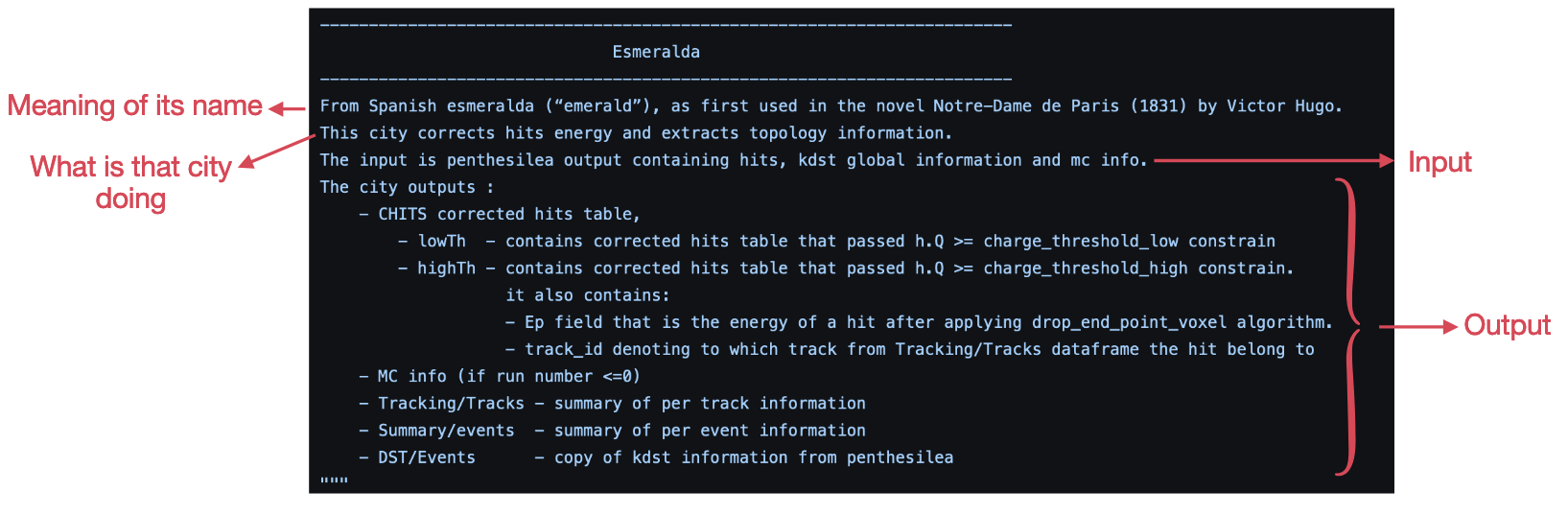
and under Production Flow a complete review of the IC cities chain can be found for both data and simulations.
Contact
If you are missing something, or you would like to contribute, contact any of our Software Manager: Gonzalo Martínez-Lema
If you have any question, or you would like to discuss something related to NEXUS with other users or developers, you can also write on the Slack Channels:
#IC_support: Support channel for users to raise issues and questions.